Relation Manager
The Relation Manager is used to review the properties of existing relations, to edit existing relations, or to create new relations. You can switch between relations for code-code links and relations for hyperlinks. As the column information and the ribbon options are the same for both, below you find only one description. For further information see Working With Networks.
You can access the Relation Manager via the drop-down option of the Links button in the Home ribbon.
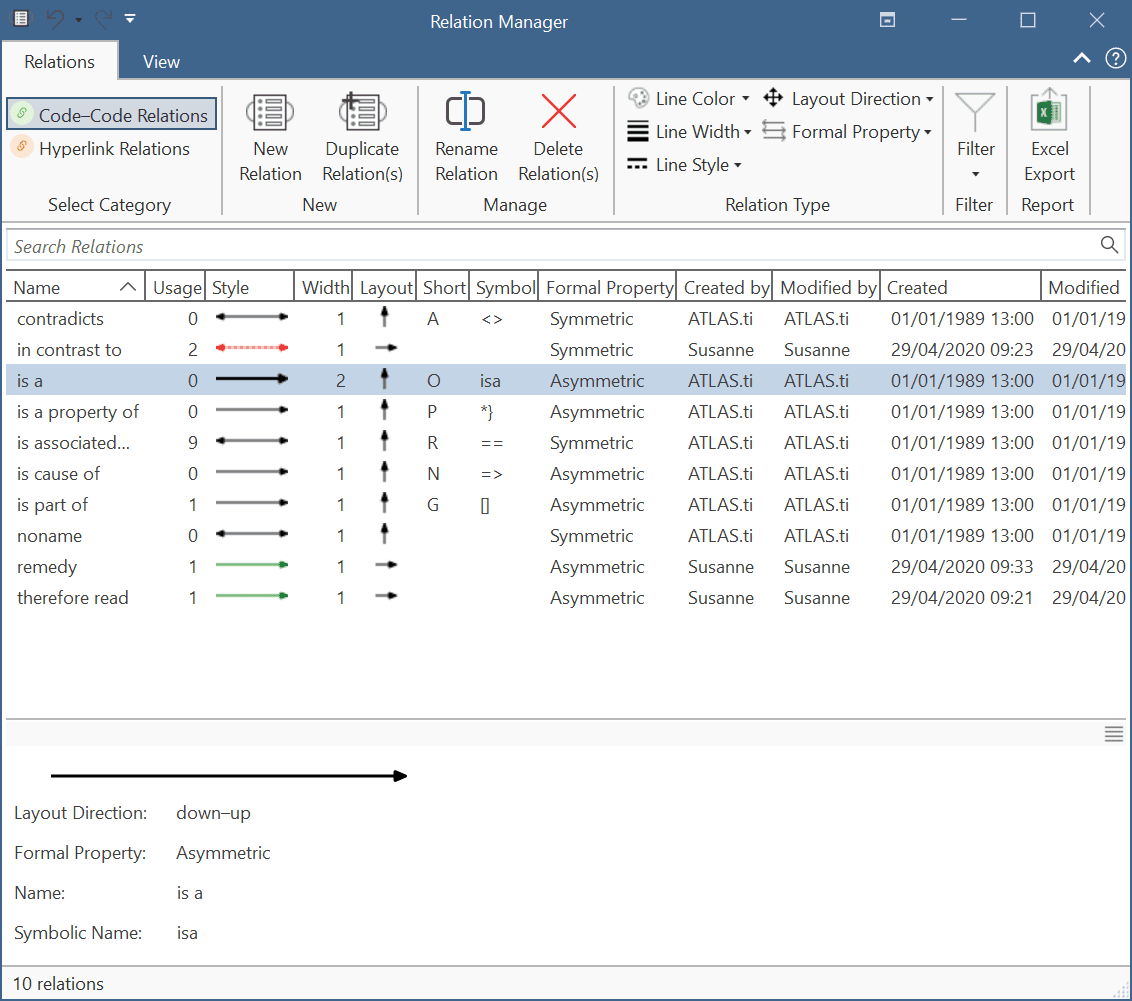
Usage: Number of times it is used in the project.
Style: Preview of line: direction, color, width and property (directed, non-directed)
Formal Property: The formal property of a relation: symmetric or asymmetric. See About Relations.
Relation Manager Ribbon

From left to right:
Category: Select the category to switch between code–code relations (default) and hyperlink relations.
New: Select to create a new relation.
Duplicate: Duplicate a relation, e.g., if you want to create a new relation based on an already existing relation with a few modifications.
Rename: Select a relation and rename it.
Delete: Select on or more relations that you want to delete.
Color: Select the line color.
Style: Select the line style(solid or dashed).
Property: Select the property for the relation. Options are: symmetric (non-directed) and asymmetric (directed). This is further explained in the section About Relation
Excel Export: You can export the information you see in the manager as Excel table.
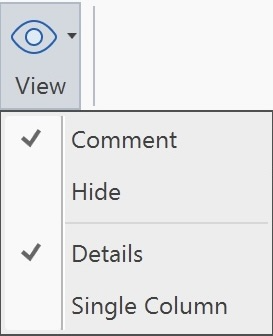
View: The relations list appears in the detail view, and a comment field is shown below the list. In addition, you can switch between Detail and Single Column view.